
How to Create an eBook
Home >> Making Money >> Creating an eBook
 The easiest way
to create an eBook is to use Word or Pages (Mac). Then you use Adobe Acrobat Professional to convert it into a PDF for your customers to download and read right from their computers.
The easiest way
to create an eBook is to use Word or Pages (Mac). Then you use Adobe Acrobat Professional to convert it into a PDF for your customers to download and read right from their computers.
I used Microsoft Word for The Perfect Site Guide and WordPress tutorial.
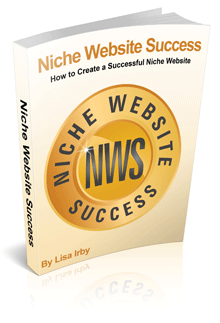
And for my latest eBook, Niche Website Success, I used Pages (Mac) to write it.
The benefit of using Acrobat Professional for the PDF conversion is you can secure the book with a password and prevent others from copying it.
If you don't want to pay for Acrobat, you can have a friend convert it into a secure PDF or use a less expensive option like PrimoPDF. You can even hire someone on Fiverr to convert it for you for $5 bucks.
There are many other economical, secure PDF conversion options that I'm sure you can find with a few quick searches.
Video on Creating an eBook in Microsoft Word
Ideas for Your eBook
It's important that your book offers something of value and is not just a carbon copy of your site or other information on the Web. You don't want your audience to feel cheated by charging for something of low value.
It's not worth losing your credibility.
Tutorials (how-to), manuals, or resource guides related to the content on your site all make great ebooks.
Let's say you have a site about tennis. You could create a tennis guide for beginners where you discuss all the tips and techniques new tennis players need for learning the game.
Or maybe you have a site on home improvement. You could write a do-it-yourself guide that instructs people how to do various odd jobs around the house.
Remember... think value. What would your audience find interesting?
Sell Your eBook
To generate profits from your eBook sign up with Clickbank and let thousands of Clickbank affiliates refer your book from their sites, newsletters, blogs, etc.
(If you want to learn more about Clickbank's affiliate and vendor program, click here.)
Also, don't forget to read my guide on how to make money with Clickbank.
eJunkie has a very similar program. The biggest difference between Clickbank and eJunkie is that Clickbank charges a one-time fee of $49 to sell your book and takes a percentage of each sale.
eJunkie charges $5/month, but does not take a percentage per sale.
Need Help Writing Your Book?
Jim Edwards wrote a book called How to Write and Publish Your Own eBook in 7 Days or Less. It is one of the most complete guides I've ever read on ebook creation.
There's help on brainstorming, organizing your content, publishing to Amazon, creating book covers, finding graphics and more.
The book is so good I bought it a 2nd time when the author updated to the 2.0 version.
You can download it immediately after ordering.
If you liked this, please share. Thanks!
 Hi, my name is